

Dash Bet App Download
The Dash Bet app runs on iOS 13.0+ and Android 8.0+, giving UK players access to football, tennis, horse racing, and other betting markets in one place. The app takes less than 5 minutes to install, supports GBP payments, and keeps your account synced across all devices. iOS users can download it through the App Store, while Android users need to install the APK directly from the site. Both versions are free.
Alternative Mobile Betting Sites
Picking a mobile casino in the UK takes more than a quick glance at the welcome bonus. Wagering requirements, app support, and Dash Bet payout speed all factor into the decision. If you’re comparing platforms before committing, the table below covers 7 rated alternatives with current sign-up offers.











All 7 operators hold valid UKGC licences and accept GBP deposits. Bonus values are maximums, actual eligibility depends on deposit size and verification status. Our welcome offer leads on value, combining a competitive free spin count with a high deposit match cap. Always check wagering terms before claiming any sign-up offer.
Where to Download the Dash Bet App
The Dash Bet APP download is offered on iOS via the Apple App Store and on Android via direct APK installation from our official site. Both versions are free. The app is not listed on Google Play, so Android users grab the file straight from our site, the process takes under 2 minutes from start to finish.
UK players using the Dash Bet APP get full access to the same game catalogue, payment methods, and account features as the desktop site. Balance, active bonuses, and transaction history sync instantly. GBP is the default currency across all versions, with no conversion fees on deposits or withdrawals.
iOS App Download
Our Dashbet APP for iPhone and iPad is listed directly on the Apple App Store. Your device must run iOS 13.0 or later, this covers all iPhone models from XR onwards and iPad Air 2 and newer.
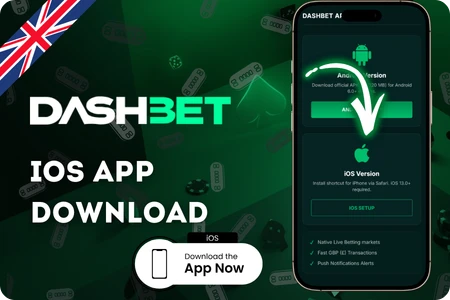
- Open App Store: tap the search icon and type “Dashbet” in the search bar.
- Select the app: locate the official Dashbet listing and tap the Get button.
- Confirm with Face ID or Touch ID: Apple will ask for authorisation before the download starts.
- Wait for installation: the app file is under 80 MB and installs in seconds on a standard UK broadband connection.
- Log in or register: open the app, sign into your existing account or create a new one in under 3 minutes.
Once installed, push notifications can be turned on to track live bonus drops and deposit promotions. All GBP transactions go through the same payment processing as the desktop version, with no additional fees on the iOS side.
Download APK for Android
Android users install the Dash Bet APP through a direct APK file, not via Google Play. Before starting, go to your phone’s Settings, open Security, and enable Install from Unknown Sources, without this, the file won’t run. Our APK requires Android 8.0 or higher and around 75 MB of free storage.
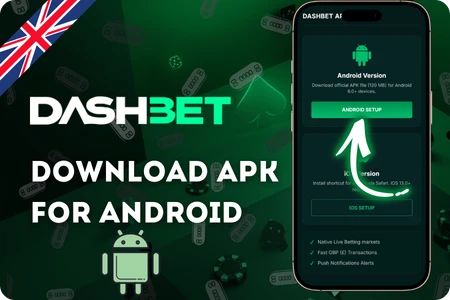
- Visit our site: open the site in your Android browser and go to the mobile download section.
- Tap the APK download button: the Dashbet APK file will save to your Downloads folder automatically.
- Open the file: locate it in your file manager and tap to begin installation.
- Accept permissions: the app requests access to notifications and storage – both are needed for full functionality.
- Launch and sign in: the first load takes under 10 seconds; log into your account or register on the spot.
The Android version of the Dash Bet APP updates automatically when a new build is released – you’ll get a prompt inside the app. Over 73% of UK mobile players access casino platforms via Android, so this version receives the same priority updates as iOS.
Installation Steps
On iOS, the Dash Bet APP installs as a web app directly from the browser – no App Store needed. The full process takes under 1 minute and works on any iPhone running Safari.
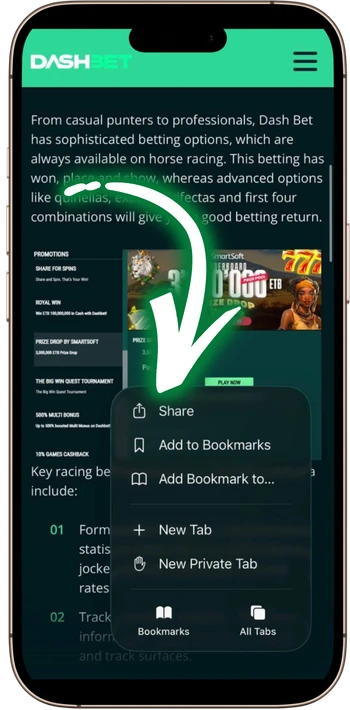
- Open our site in Safari and tap Share:
hit the Share icon at the bottom of the browser. A menu with sharing and page options will appear.

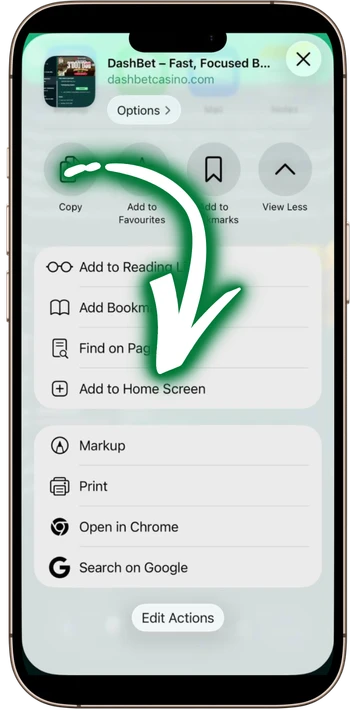
- Select “Add to Home Screen”:
scroll down the share menu and tap the Add to Home Screen option. The app icon and name will appear for confirmation.
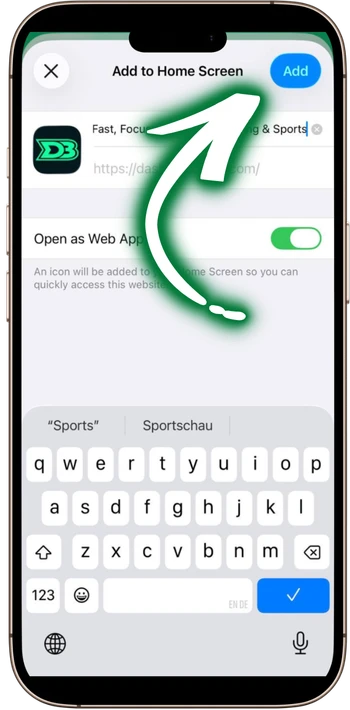
- Confirm by tapping Add:
the name field is pre-filled – tap Add in the top right corner to complete the process.
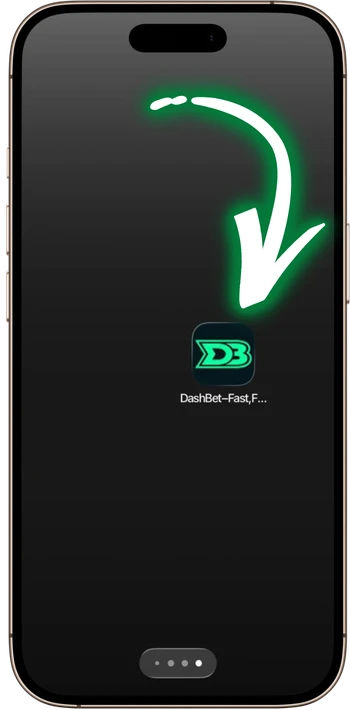
- Find the icon on your home screen:
the Dashbet icon appears on your home screen immediately. Tap it to launch the app directly, without opening Safari first.
If the installation fails on Android, the most common cause is insufficient storage – the app needs at least 75 MB free. On iOS, a failed download usually points to an outdated system version; updating to iOS 13.0 or above fixes this in most cases.
System Requirements
Before installing the Dash Bet APP, check that your device meets the minimum specs below. Most UK smartphones released in recent years pass all requirements without any issue.
| Parameter | Details |
| 📱 iOS version | iOS 13.0 or later |
| 📱 Compatible iOS devices | iPhone XR and newer, iPad Air 2 and newer |
| 🤖 Android version | Android 8.0 or later |
| 🤖 Compatible Android devices | Most models released |
| 💾 Free storage (iOS) | Minimum 80 MB |
| 💾 Free storage (Android) | Minimum 75 MB |
| 🌐 Internet connection | 3G minimum; 4G or Wi-Fi recommended |
| 🔄 App updates | Automatic on iOS; manual prompt on Android |
Devices running below Android 8.0 or iOS 12 can still access the full account through the mobile browser version, no installation required and all GBP payment options remain fully supported.
Frequently Asked Questions
Yes, installation costs nothing on both iOS and Android. Charges apply only when you make a real-money GBP deposit, which starts from £10.
Google Play restricts real-money gambling apps in the UK. The Android version is distributed as a direct APK file from our official site, just enable Unknown Sources in Security settings first.
Balance, active bonuses, and transaction history sync instantly across all versions. Logging into the Dash Bet APP on a new device requires no re-verification if the account is already verified.
It depends on your OS version, not the release year. Android 8.0 and iOS 13.0 or above are enough. Older versions can still access the full account via our mobile browser version.
Installation takes under 2 minutes, registration takes another 3 minutes for new accounts. GBP deposits process in under 30 seconds once your account is verified.